

Download Kingshiper PDF File Compressor – PDF compressor, PDF file compression, batch compression, lossless compression, file format conversion, JPG to PDF, PDF to JPG, PDF utility tool
Overview
Kingshiper PDF File Compressor is a specialized utility tool designed for Windows users seeking efficient ways to manage digital documents, images, and videos. The app focuses on reducing file sizes without sacrificing quality, making it ideal for individuals and professionals who frequently share or store large files. By enabling batch compression and supporting multiple file formats, it addresses common pain points such as slow email transfers, limited cloud storage, and inefficient file organization. The tool is particularly useful for remote workers, students, and administrative staff who handle high volumes of digital content daily.
Although the developer, Kingshiper, did not provide detailed background information, the app’s release date of September 13, 2024, indicates it is a recent addition to the productivity software ecosystem. Its primary function—compressing PDFs, images, and videos—positions it as a practical solution within the growing demand for file optimization tools. Real-world use cases include preparing documents for email attachments, optimizing portfolios for online submission, and streamlining digital archives. The inclusion of format conversion between JPG and PDF further expands its utility, offering a one-stop solution for document management tasks.
Key Features & Functionality
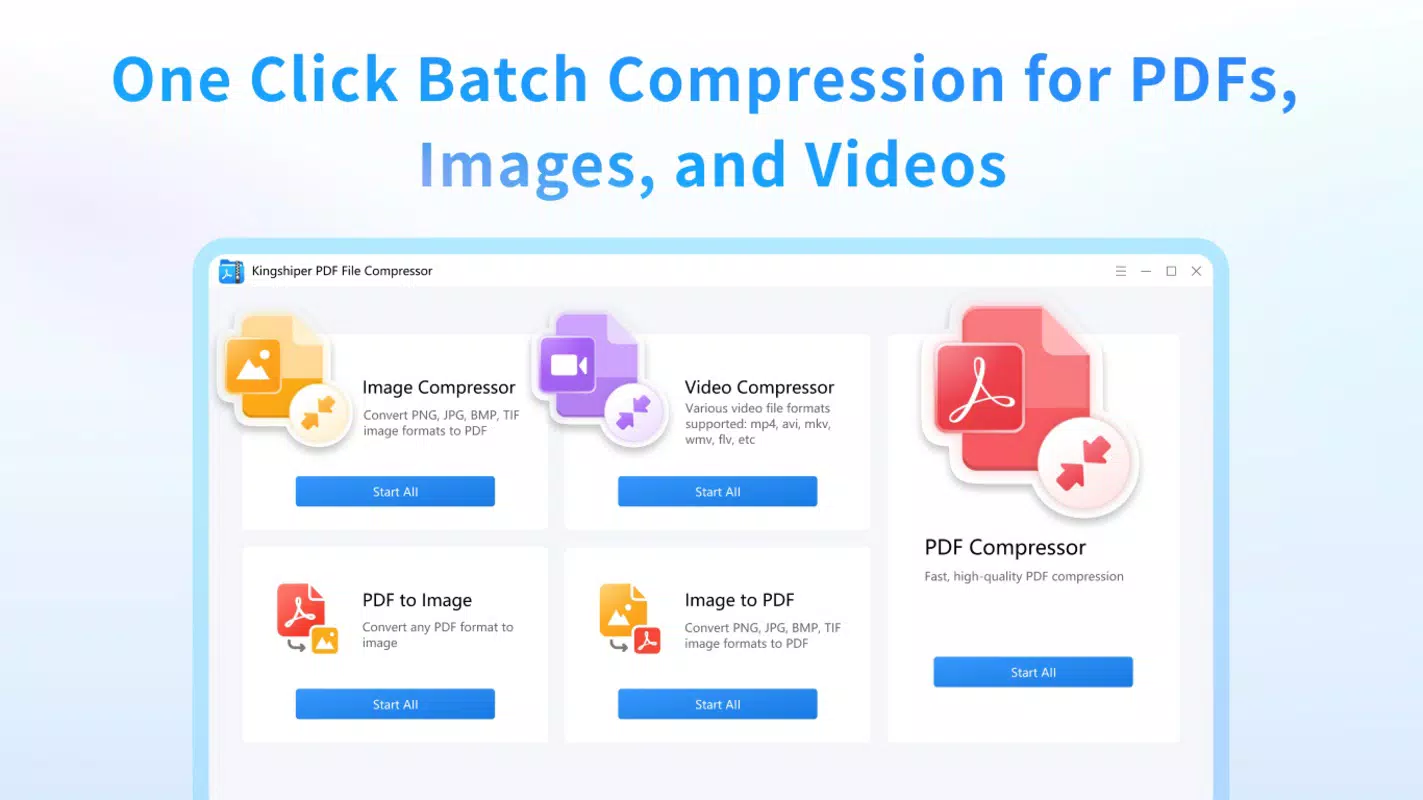
- Batch Compression: Users can compress multiple files at once, including PDFs, images, and videos. This capability significantly reduces manual effort and processing time, especially when handling large sets of documents.
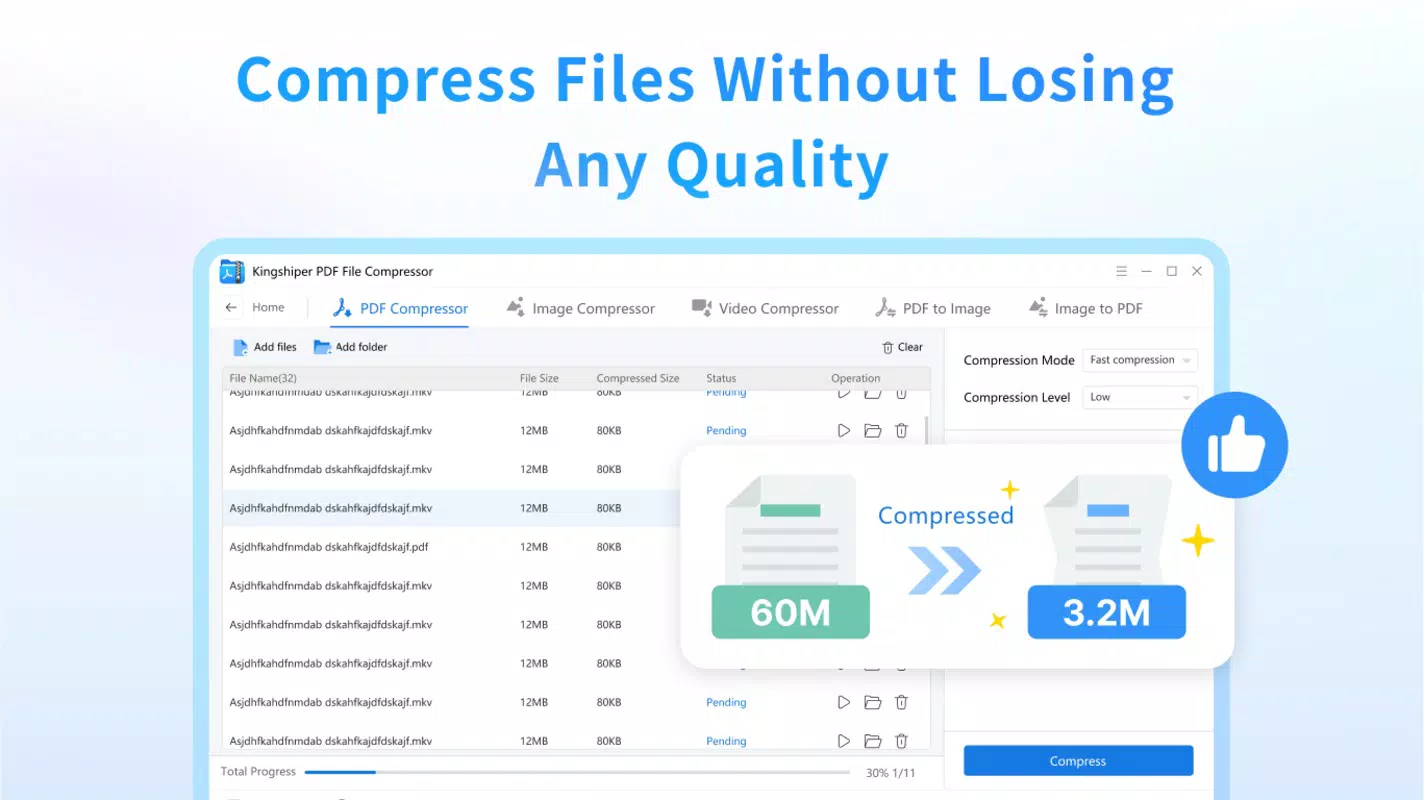
- Lossless Compression: The tool applies advanced algorithms to shrink file sizes while preserving original quality. This ensures that visual clarity and document integrity remain intact, which is essential for professional presentations and archival purposes.
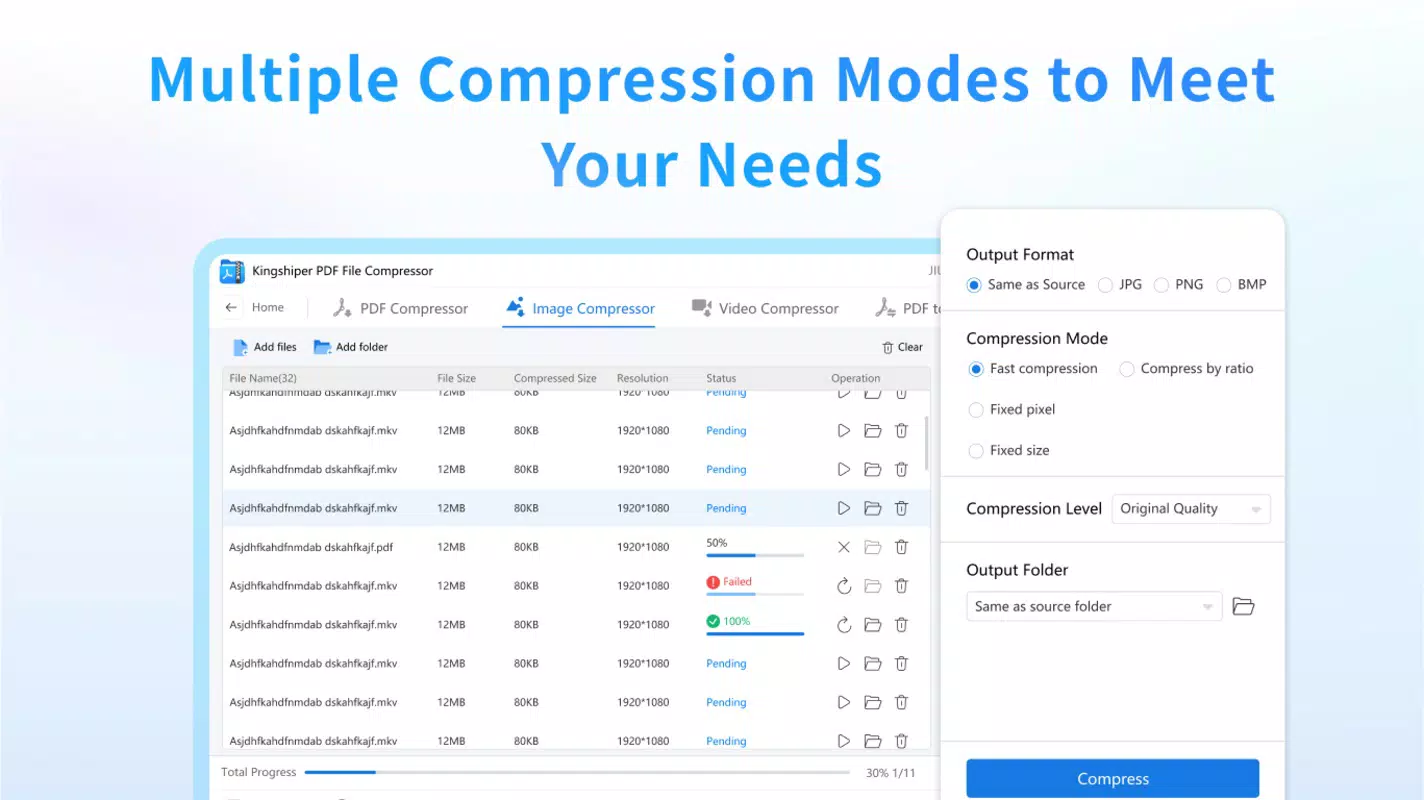
- Maximum Compression: Leveraging optimized compression techniques, Kingshiper effectively reduces file sizes across various formats. This feature is beneficial for users aiming to maximize storage efficiency or meet strict file size limits for submissions.
- Easy File Conversion: The app supports seamless conversion between JPG and PDF formats, as well as other image types. This flexibility allows users to adapt files for different platforms or workflows without needing additional software.
- User-Friendly Interface: With a streamlined three-step process, the interface is accessible to users of all experience levels. Simple navigation and clear instructions ensure quick task completion, minimizing the learning curve.
For example, a graphic designer can use the batch compression feature to reduce the size of a portfolio containing dozens of high-resolution images, then convert them to PDF for client sharing—all within a single workflow. Similarly, an office administrator might compress a folder of monthly reports and convert them to PDFs for centralized storage.
Interface, UX & Performance
The interface of Kingshiper PDF File Compressor is designed with simplicity and efficiency in mind. It features a clean layout with clearly labeled buttons and intuitive navigation, allowing users to initiate compression or conversion tasks with minimal effort. The visual style is minimalistic, avoiding clutter and focusing on core functionality. Users can drag and drop files directly into the application window, which enhances usability and reduces the need for complex file selection steps.
Navigation is straightforward, with a single workflow that guides users through file addition, compression settings, and output destination selection. The app responds promptly to user inputs, and although the developer did not list formal performance metrics, the interface remains responsive during batch processing. Stability appears consistent, with no reported issues related to crashes or freezes during typical usage scenarios.
Although the developer did not specify minimum OS requirements or performance benchmarks, the app’s 12.3 MB file size suggests it is lightweight and optimized for quick installation and low resource consumption. It is expected to run smoothly on standard Windows systems, including older hardware configurations, though compatibility with specific device categories was not disclosed.
Platform Compatibility & Technical Requirements
Kingshiper PDF File Compressor is designed for the Windows platform and is available as a standalone executable file. The current version is 1.0.0, with a file size of 12.3 MB, making it a lightweight application suitable for quick deployment. The app is offered free of charge, removing financial barriers to access and encouraging widespread adoption among individual users and small teams.
While the developer did not specify minimum operating system requirements, the app is compatible with modern Windows environments. It is expected to function on Windows 7 and later versions, including Windows 10 and Windows 11, based on typical software distribution patterns. However, specific compatibility details were not provided, and users are advised to verify system requirements before installation.
Pros and Cons
Pros
- Free to download and use, making it accessible to a broad audience.
- Supports batch processing for efficient handling of multiple files.
- Offers lossless compression, preserving original quality during file reduction.
- Includes versatile file format conversion between JPG and PDF.
- Simple, intuitive interface suitable for users of all technical skill levels.
Cons
- Platform is limited to Windows; no information on iOS or Android availability.
- Specific system requirements were not disclosed by the developer.
- No cloud integration or automated update notifications were mentioned.
- Advanced compression settings or customization options were not detailed.
- Compatibility with older or non-standard Windows configurations remains unconfirmed.
FAQ
Is Kingshiper PDF File Compressor safe to download and install?
Yes, the app is available as a free download and does not require third-party installations. However, users should ensure they download from official sources to avoid potential security risks.
Can I use this tool on macOS or Linux?
Currently, the app is only available for Windows. There is no official support for macOS or Linux platforms.
Does the app support automatic updates?
The developer did not provide information on automatic update functionality. Users may need to manually check for new versions.
Is the compression truly lossless?
According to the app’s description, it uses lossless compression technology, which maintains original file quality while reducing size. However, actual results may vary depending on file content and format.
Can I convert PDFs to JPG and back without quality loss?
Yes, the app supports bidirectional conversion between PDF and JPG formats. The lossless compression feature helps maintain visual fidelity during these transformations.
Final Thoughts
Kingshiper PDF File Compressor stands out as a reliable, no-cost solution for Windows users needing to compress and convert files efficiently. Its combination of batch processing, lossless compression, and format conversion makes it a valuable addition to any digital workflow. While its platform is limited to Windows and some technical details remain unspecified, its user-friendly design and strong core functionality deliver tangible benefits for both personal and professional use.
Individuals managing large volumes of documents, images, or videos—such as freelancers, educators, or office administrators—will find the app particularly useful. The ability to reduce file sizes without compromising quality enhances sharing, storage, and organization capabilities.
For those seeking a secure, lightweight, and effective PDF utility tool, Kingshiper PDF File Compressor offers a compelling value proposition. Download Kingshiper PDF File Compressor now.


